Part drawings
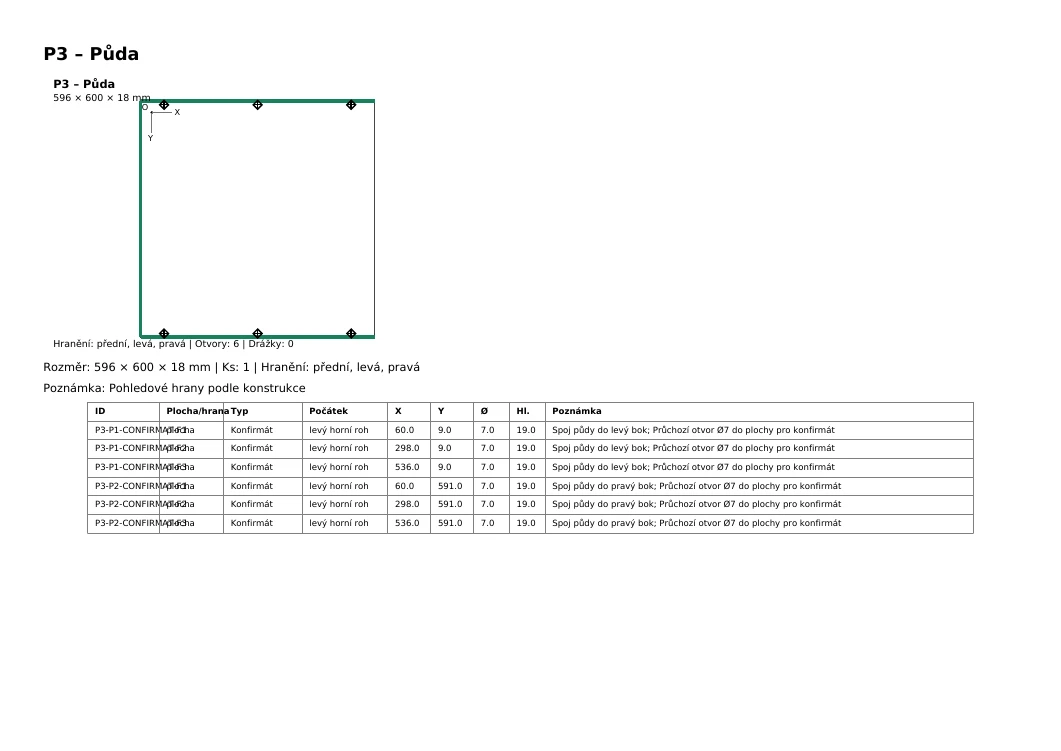
Part drawings with dimensions, edging and drilling, ready for review and workshop use.
From design to production
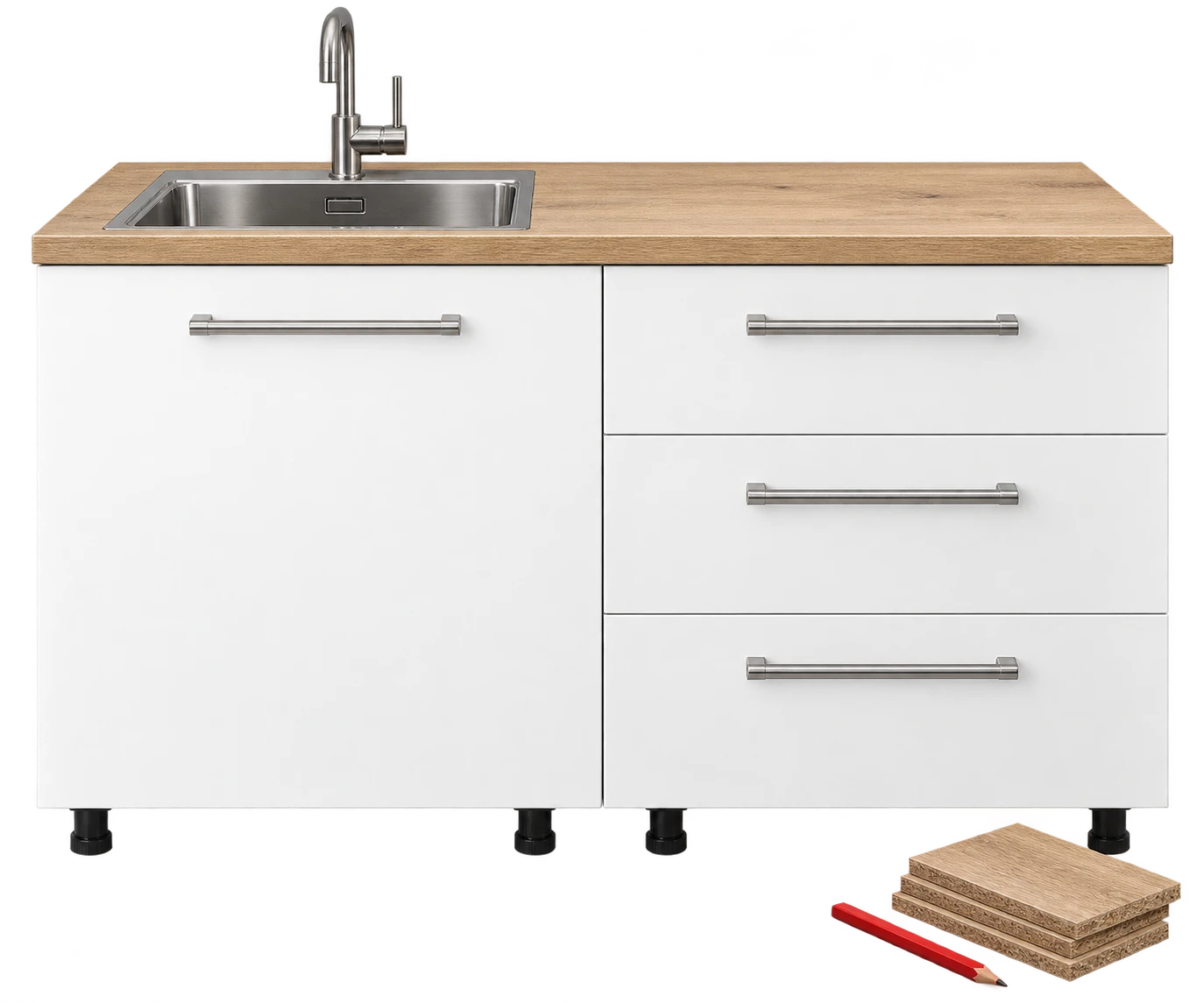
Design a kitchen or cabinet to your own dimensions. One design gives you a hardware list, part drawings, sheet usage and CNC data in a package you can send to a cutting centre.
DesignDrawingsCuttingCNC
One design. Every document in one place.
Part drawings with dimensions, edging and drilling, ready for review and workshop use.
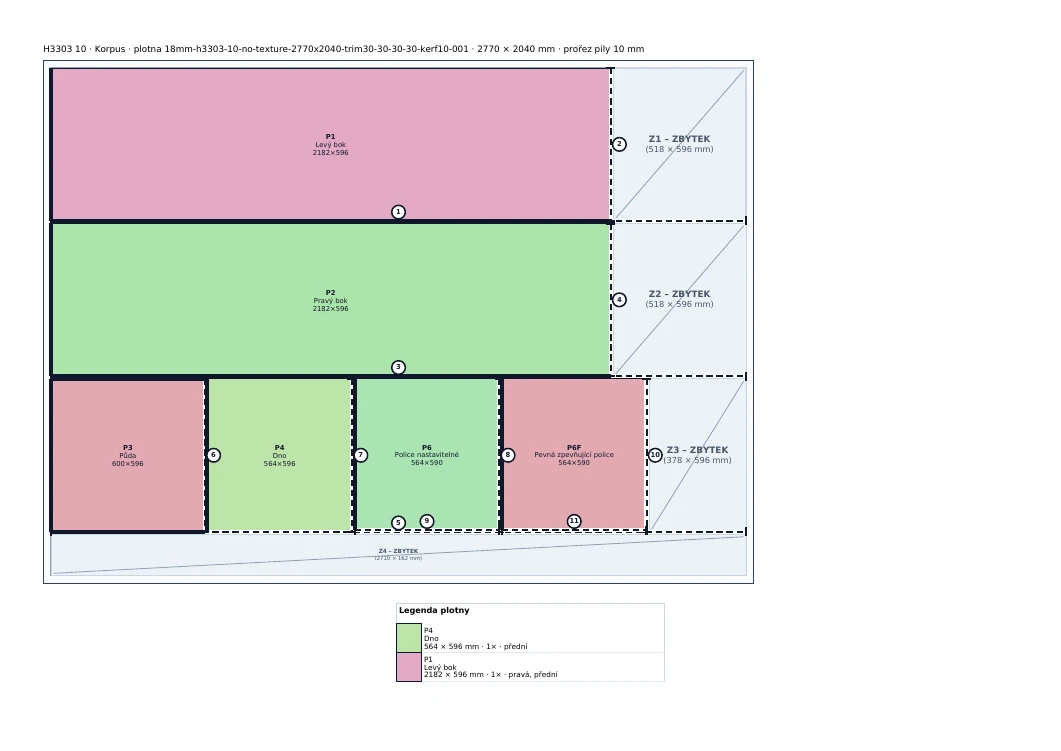
See how parts fit on the sheets and how many sheets the design needs.
Production data for supported CNC machines. Confirm the suitable format with the cutting centre before production.
[H
VERSION="4.0 Alpha"
OP="1"
WRK2="0"
...
GEN_BY_KORPUS_APP="MPR_EXPORT_EXPERIMENTAL"

<101 \Kommentar\
KM="Hole P3-P1-CONFIRMAT-E1: Konfirmat_ edge_ app_X=60 app_Y=0 export_X=536 export_Y=0 KO=2 D=5 depth=35"
<103 \Horizontalno\
XA="536"
YA="0"
ZA="d/2"
DU="5"
TI="35"
AN="1"
BM="YP"
KO="2"
Design a kitchen or individual cabinet, adjust its construction and prepare documents for the next step from one design.
Start with your own dimensions and set the construction for your project.
Dimensions, edges and drilling are clearly shown with each part.
The cutting plan shows how parts fit on the sheets and how many are needed.
Drawings, hardware list and CNC data belong to one production package. Save a job and open it again later.
Design what you want to make. The app prepares documents to send to a cutting centre for processing.
Choose a kitchen or cabinet, enter dimensions and adjust its construction.
Download a hardware list, individual part drawings, a cutting plan and CNC data.
The centre processes the documents. Review dimensions and a suitable machine format together before production.
One design connects your idea with part preparation in your workshop or at a cutting centre.
Prepare a design, hardware list, drawings and a cutting plan. Send them to a cabinetmaker or centre and review dimensions and the CNC format before production.
Get part dimensions, a hardware list, cutting plan and CNC data from one design. Review and adjust the documents for your workshop.
Receive a hardware list, part drawings, sheet usage and CNC data for a supported machine from the customer. Review the construction and format before preparing the job.
Arrange a demonstration →Contact
Have a question, feedback or interest in working together? Tell us what you want to make or process.
The project type sets the defaults. You can change dimensions and construction in the next step.